
How to Find Amazon Deals and Use Promo Codes Before You Check Out
Disclosure: MyTop5Finds Deals contains affiliate links. If you buy through those links, I may earn a commission. As an Amazon Associate I earn from qualifying purchases.

Before you hit “Place your order,” it is worth taking a moment to check for an available deal, coupon, or promo code. Not every purchase has an extra discount, but knowing where to look—and how to apply an offer—can help you avoid missing savings.
That is why I created MyTop5Finds Deals, a place to browse Amazon finds and available promo-code offers for shoppers in the United States, Canada, and the United Kingdom.
You can choose your country, explore categories, and copy available codes before heading to Amazon to shop. Here is how it works.
Choose where you shop:
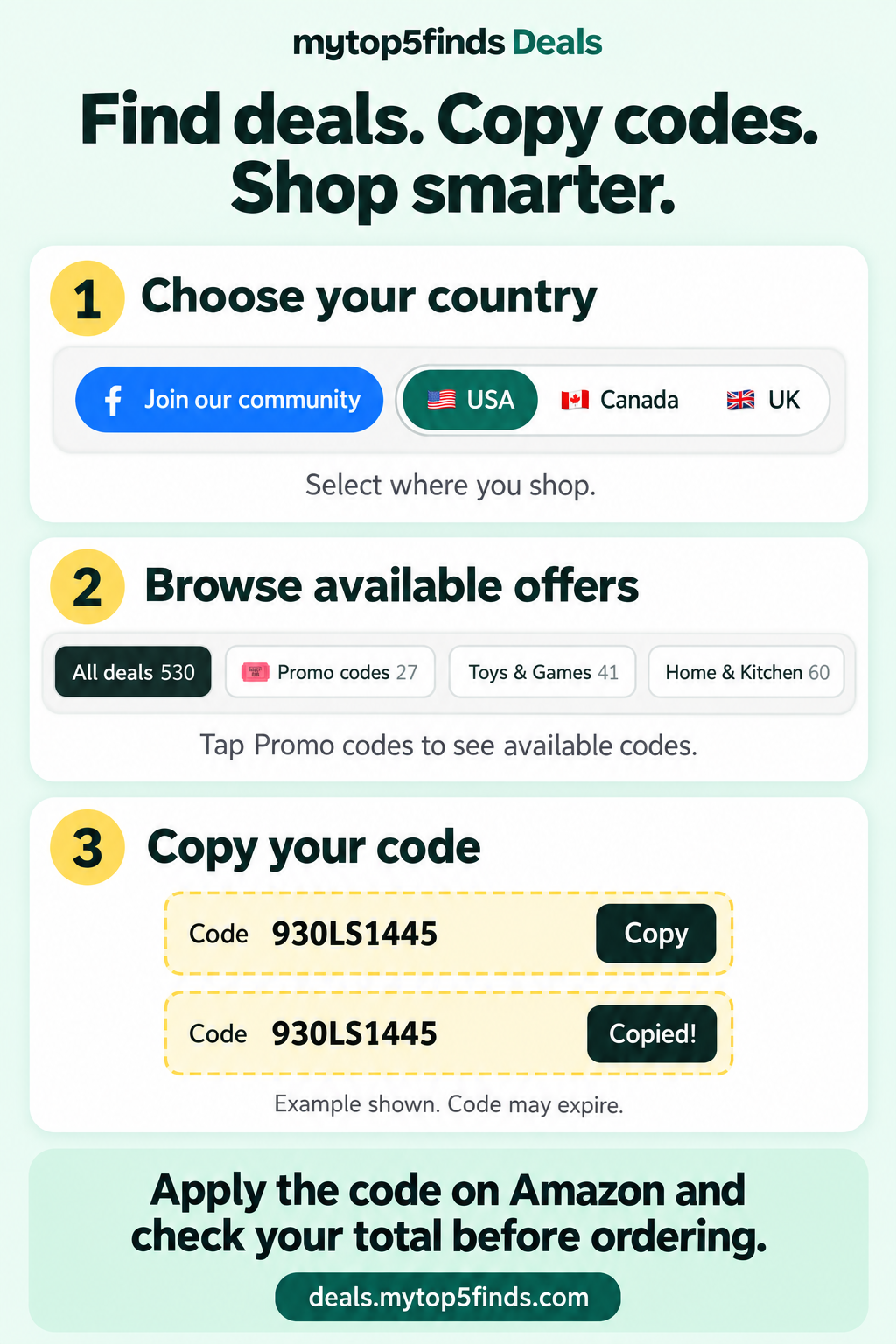
How to use the website!
Confirm you are on your geo Country, browse, the available categories and check for a code. If the offer your looking for has a code, Click copy before heading over to the deal!
Getting ready for Amazon’s October sale?
Amazon has announced Prime Big Deal Days for October 6–7, 2026, in the U.S. If you are preparing a shopping list, now is a good time to learn how to find offers and check their requirements.
Prime-exclusive event offers require an eligible Prime membership. Other deals and seller promo codes have their own terms, and a code listed on my website is not automatically a Prime Big Deal Days offer. Shoppers in Canada and the UK should check their local Amazon site for event dates and details.
Source: Amazon’s event announcement.
1. Choose your country first
At the top of MyTop5Finds Deals, select USA, Canada, or UK.
Start with the country where you intend to shop. An offer for Amazon.com does not automatically work on Amazon.ca or Amazon.co.uk, and the available products and promotions can differ.
2. Browse the categories or promo-code offers
Explore a category that interests you, such as home and kitchen, beauty, clothing, or toys, where available. You can also look for the Promo codes section to find offers with an extra step before checkout.
Read the deal notes carefully. An offer might apply only to a particular size, color, seller, quantity, or eligible account.
A useful habit: start with something you already need, then see whether a suitable deal is available.
3. Copy the code when one is listed
If an offer displays a promo code, tap or click Copy beside it.
Keep that code handy, then use the deal’s Amazon button to open the linked product. Copying the code on my website does not apply the discount to your Amazon order—you still need to follow the offer’s redemption instructions.
Some deals do not use a code at all. Others may mention an available coupon as well as a code. Follow the instructions for that specific offer rather than assuming all discounts combine.
4. Check the item and offer on Amazon
Before adding anything to your cart, confirm that you have the eligible item, variation, and seller.
If Amazon displays a coupon for your account and the offer requires it, select it and read the terms. The options you see may differ by country, device, account, and offer.
A sale price, coupon, and promo code are different things:
A sale price may already appear on the listing.
A coupon may require you to select or activate the offer.
A promo code may need to be entered during checkout.
Do not assume that a promo code stacks with a Prime-exclusive price or another promotion. Check the individual offer terms and your order summary.
5. Apply the code and check your final total
Add the eligible item to your cart and proceed through checkout. Look for the gift-card or promotional-code entry area; its wording and location can vary.
Paste or type your code and select the option to apply it. Then check the order summary before placing the order.
Confirm that the expected discount appears, and review shipping, taxes, quantities, and the final amount. If the discount does not appear, do not assume it will be added after you order.
For Amazon’s instructions, see Redeem Promotional Codes and Courtesy Credits.
What if an Amazon promo code does not work?
Check the offer requirements before trying again:
Are you shopping on the correct country’s Amazon site?
Did you choose an eligible size, color, seller, and quantity?
Was the complete code copied without extra spaces?
Does the promotion have an expiration date, account restriction, or redemption limit?
Are you trying to combine discounts that the offer does not allow?
An offer can change or end before you finish shopping. The deal information on my website is a starting point; the offer terms and final checkout total on Amazon are what you should verify before buying.
Do I need Prime to use the deals website?
You can browse MyTop5Finds Deals without a Prime membership. Whether you need Prime to redeem a particular Amazon offer depends on that offer’s requirements.
Check membership conditions on Amazon rather than assuming that every deal is available to every shopper.
Make checking for deals part of your shopping routine
Before your next purchase, visit your country’s deals page, browse the relevant category, and check whether an available offer fits what you need.
Bookmark the page so it is easy to find again:
A discount is only useful if the purchase works for you. Check the product details, compare the final cost, and buy because it suits your needs—not simply because it has a deal label.
Prices, availability, coupons, and promo codes may change or expire. Eligibility and restrictions vary by offer. MyTop5Finds is an independent website, not an official Amazon website.
